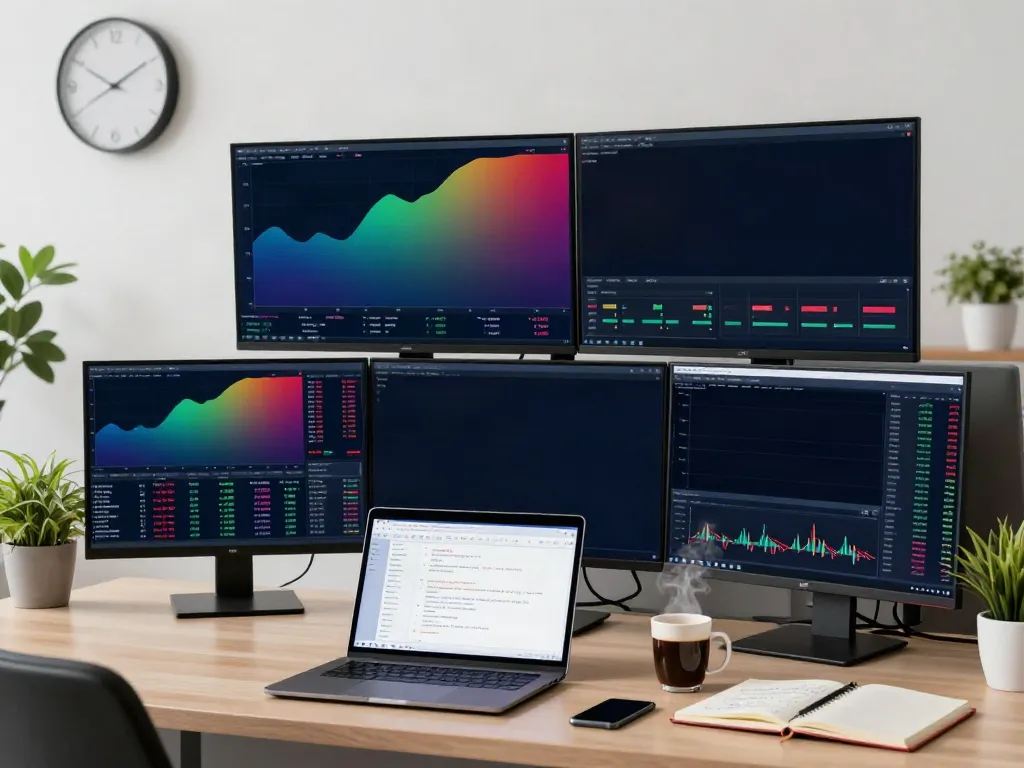
Understanding TradingView and Its Core Features
In the fast-paced world of trading, having the right tools can make all the difference in achieving success. TradingView stands out as a comprehensive platform that enables traders to analyze stock, forex, cryptocurrency, and derivatives markets all in one place. This article will delve into the features and benefits of TradingView, providing insights and practical tips that cater to both novice and experienced traders alike. By the end, you will have a clearer understanding of how to leverage this powerful tool for your trading endeavors.
What is TradingView and Why Use It?
TradingView is a web-based platform designed for traders and investors that combines powerful charting tools, advanced technical analysis features, and social networking elements. What sets TradingView apart is its ability to bring together diverse financial markets and trading styles, allowing users to track real-time data and share insights with a global community.
This versatility makes it a favorite among traders looking to refine their strategies. Whether you are a day trader looking to capitalize on short-term market movements or a long-term investor analyzing market trends, TradingView provides the tools to meet your needs.
Key Features of TradingView for Traders
- Advanced Charting Capabilities: TradingView excels in providing a sophisticated charting interface that supports multiple layouts, indicators, and drawing tools.
- Social Networking: Users can share their analyses, scripts, and ideas with the TradingView community, benefiting from collective knowledge.
- Alerts and Notifications: The platform allows users to set price alerts, as well as alerts for specific indicators and patterns, facilitating timely decision-making.
- Customizable Scripts: With Pine Script, users can create custom indicators and strategies to enhance their trading performance.
Getting Started: Setting Up Your TradingView Account
Creating an account on TradingView is straightforward. Users can sign up for a free account or choose a paid plan for additional features. Once registered, customizing the dashboard to your trading preferences is key. Familiarize yourself with the charting tools and features, as a well-organized workspace can significantly improve your trading experience.
Building Your Trading Strategy
Developing a Trading Routine with TradingView
Establishing a consistent trading routine is essential for success. TradingView allows you to create watchlists, categorize assets, and set alerts that align with your trading strategy. By focusing on specific assets and market conditions, you can streamline your decision-making process, ensuring that you are prepared for market movements.
Utilizing Technical Indicators for Better Decisions
Technical indicators are crucial for making informed trading decisions. TradingView offers a wide array of indicators, including moving averages, RSI, MACD, and more. By incorporating these indicators into your analysis, you can identify potential entry and exit points more effectively. Use the platform’s tools to overlay these indicators on your charts and analyze trends.
Backtesting Strategies Using TradingView’s Tools
One of the standout features of TradingView is its Strategy Tester, which allows you to backtest your trading strategies using historical data. This tool enables you to simulate trades based on past performance, giving you insights into the effectiveness of your strategy before committing real funds.
Advanced Trading Techniques on TradingView
Leveraging Pine Script for Custom Indicators
Pine Script is TradingView's proprietary scripting language that allows users to create custom indicators and strategies. By learning the basics of Pine Script, traders can tailor tools that meet their unique trading needs. There are numerous resources and community scripts available to help you get started quickly.
Creating Alerts and Notifications for Market Movements
Setting up alerts in TradingView can help you stay ahead in the market. Whether you want to be notified of a price crossing a specific level or an indicator signaling a potential trade opportunity, these alerts ensure that you never miss a critical market movement.
Using Supercharts for In-Depth Market Analysis
Supercharts provide a more advanced charting experience, allowing traders to analyze multiple assets and timeframes simultaneously. This feature is especially beneficial for those who trade across different markets or wish to compare asset performance in real time.
Community Insights and Learning Resources
Engaging with the TradingView Community
The TradingView community is one of its greatest assets. Engaging with fellow traders, sharing insights, and learning from others can accelerate your understanding of the markets. Participating in discussions and following key contributors allows you to broaden your perspective and discover new trading ideas.
Finding Educational Resources and Tutorials
TradingView offers a wealth of educational resources, including tutorials on platform features, technical analysis, and trading strategies. Leverage these materials to enhance your trading knowledge and skills. Many experienced traders also publish articles and videos that can serve as valuable learning tools.
Following Key Market Analysts on TradingView
Identifying and following reputable market analysts on TradingView can provide you with different perspectives on market trends and trading strategies. Many analysts share their insights through public profiles, allowing you to learn from their experiences and analyses.
Future Trends in Trading for 2026 and Beyond
Emerging Technologies Impacting Trading Strategies
As technology continues to evolve, so too does the trading landscape. The integration of artificial intelligence, machine learning, and blockchain technology is set to transform trading strategies. Traders who can adapt to these changes will likely find new opportunities to enhance their trading performance.
Predictions for Market Trends and Trading Behavior
In 2026 and beyond, market trends are expected to be influenced by global economic shifts and changes in consumer behavior. Staying informed about economic indicators, geopolitical events, and technological advancements will be critical for traders looking to adapt their strategies to evolving market conditions.
How to Adapt Your Strategies for Future Market Conditions
Flexibility is key in trading. As the market changes, your strategies should evolve. Regularly review your performance, analyze what works and what doesn’t, and be willing to adjust your approach. Utilization of tools like TradingView can help facilitate these adjustments through real-time analysis and backtesting.
What are the common misconceptions about TradingView?
One common misconception is that TradingView is solely for day traders. In reality, its capabilities cater to a diverse range of trading styles, including investors focused on long-term performance. Understanding the full range of features can help users utilize the platform more effectively.
Is TradingView suitable for beginners?
Yes, TradingView is beginner-friendly, with a user-friendly interface and comprehensive educational resources. New traders can start with a free account, exploring features and building confidence before opting for paid services.
Can you trade directly from TradingView to brokers?
In select regions, TradingView allows users to connect with partnered brokers for direct trading. This feature streamlines the trading process, making it easier to execute trades based on analysis conducted within the TradingView platform.
How can Pine Script enhance my trading experience?
Pine Script allows for customization of indicators and strategies, enabling traders to create tools that fit their specific needs. This capability enhances the overall trading experience, providing insights that are tailored to individual trading styles.
What are the best practices for using TradingView effectively?
To maximize your TradingView experience, consider the following best practices:
- Utilize the customizable features to tailor your workspace.
- Engage actively with the community to share insights and learn from others.
- Regularly backtest your strategies to refine them.
- Set alerts for significant price movements and indicators.
- Take advantage of educational resources to continue learning.